
📷 Whangamata Live Surf Conditions
Check current wave conditions, swell forecasts and wind data via these live resources:
Whangamata Surf Cam
Checking the Whangamata surf cam before heading to the beach is the best way to assess current wave conditions, crowd levels and weather. Several live camera feeds cover the main beach and harbour area.
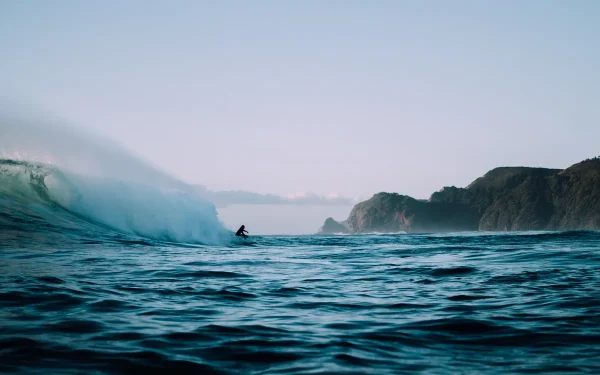
Surfing New Zealand waves — Whangamata’s Whanga Bar is one of the country’s most consistent beach breaks
Available Surf Cams
Whangamata Beach Cam
The main Whangamata surf cam is positioned at the surf life saving club lookout, providing a wide-angle view of the beach from the harbour entrance south along the main beach. This camera gives a good indication of swell size, wind conditions and wave quality.
Harbour Cam
A second camera covers the harbour entrance and bar area. This is useful for checking conditions at The Bar surf break and for boat skippers assessing bar conditions before heading offshore.
How to Use the Surf Cam
When viewing the surf cam, look for these indicators:
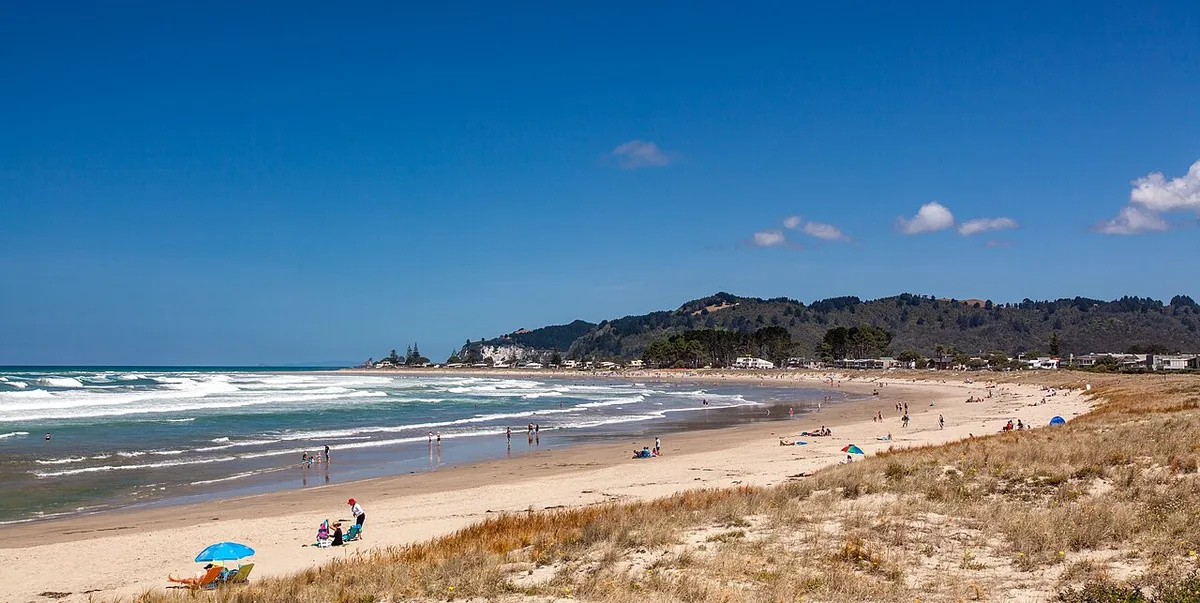
The Whanga Bar surf break forms at the river mouth — this aerial view shows how the sandbar channels swells into perfect peeling waves
- Clean lines: Well-defined wave lines approaching the beach indicate good swell with offshore or light winds
- White caps: Choppy white water on the surface indicates onshore wind — conditions will be messy
- Glassy surface: A smooth, mirror-like ocean surface means no wind — ideal conditions
- Set waves: Watch for a few minutes to see the larger set waves come through, which will give you a better idea of the true swell size
Best Times to Check
Check the cam early morning (6-8am) for the cleanest conditions. The camera image quality is best during daylight hours. Dawn and dusk can produce glare that makes it difficult to assess wave quality.
Keep in mind that surf cams can flatten the appearance of waves. The surf is almost always bigger in person than it looks on camera, particularly when viewed from an elevated angle.
Whangamata Bar Cam – The Harbour Bar Camera
The Whangamata Bar Cam offers a crucial view of the harbour entrance, a key spot for experienced surfers and boaties. This camera focuses on the often-powerful sandbar where the river meets the ocean. Understanding this view helps assess a critical, but potentially hazardous, surf spot and general water conditions.

The Coromandel coastline faces east — swells from the Pacific wrap around the peninsula to produce consistent surf at Whangamata
How to Read Bar Conditions from the Cam
Use the bar cam to check the state of the infamous Whangamata bar. Look for the wave shape and frequency over the sandbar. A clean, rolling wave indicates good surfable conditions. Choppy, chaotic whitewater or a lack of defined waves suggests onshore winds or a messy swell. Most importantly, watch for how waves are breaking across the entire channel—this signifies a dangerous, closed-out bar that is unsafe to cross. This cam is essential for checking the Whangamata bar camera view before heading out.
Beach Cam Views – The Main Whangamata Beach Cam
The primary Whangamata Beach Cam provides a panoramic view of the main beach, offering a solid overview of general surf and weather conditions. This is your go-to for a quick check of crowd size, wind effect on the water, and overall swell size.
How to Read the Lineup from the Beach Cam
To effectively read the surf from the Whangamata live cam, focus on the lineup—the area where waves begin to peak. Look for consistent lines of swell on the horizon. Watch how they break: left, right, or close out. Identify key landmarks (like a specific pohutukawa tree or house) to gauge the size and where the sets are peaking. The best angles are often in the early morning, when the sun is behind the camera, providing the clearest view of wave shape and texture.
Other Ways to Check Conditions
While the Whangamata web cam gives a real-time visual, these forecast sites provide detailed predictions to help plan your session.
- Surfline Whangamata: For detailed swell models, wind charts, and a crowd-rated forecast.
- Magicseaweed Whangamata: Offers reliable swell, wind, and tide forecasts with user-submitted photos.
- Windguru: Excellent for precise wind direction and strength forecasts, crucial for Whangamata.
- MetService Surf Forecast: The official NZ Metservice surf forecast for wave height, period, and swell direction.
Cross-reference the Whangamata surf cam live view with these sites to build the most accurate picture of current and future conditions.
Related Guides
- Whangamata Tide Times — tides affect surf conditions significantly
- Whangamata Surf Forecast — multi-day swell and wind predictions
- Whangamata Beach — beach access, facilities and surf zones
- Whangamata Weather — wind and rain affect surf quality
- Whangamata Golf Club — alternative activity for flat-surf days